 返回博客

Chapman University Health Insurance Waiver Guide 2026

📄 Quick Summary:
- Chapman automatically enrolls students in SHIP, but waivers are allowed
-
International students may use qualifying external insurance instead of Chapman SHIP
- GoGlobalSafe plans meet Chapman waiver requirements and have been approved in prior waiver cycles
-
Fall 2026 Chapman waiver deadline: September 14, 2026
1. Chapman Health Insurance Requirement Explained (SHIP for International Students)
Chapman University (Chapman) requires all registered undergraduate and graduate Chapman students to maintain comprehensive health insurance, due to the high and unpredictable costs of healthcare in the United States.
By default, Chapman automatically enrolls eligible students in the Student Health Insurance Plan (SHIP) each year, with the premium charged directly to the student’s tuition bill. However, students with alternate health insurance coverage meeting Chapman’s minimum requirements can get a waiver.
For the most accurate and up-to-date Chapman policy details (eligibility, enrollment rules, and official requirements), please refer to Chapman’s official website.
2. Can International Students Waive Chapman SHIP? (Yes, Here’s How It Works)
Yes. Chapman officially allows international students to replace Chapman SHIP with a waiver-compliant external health insurance plan.
If your plan meets Chapman’s waiver criteria, you can submit an Insurance Waiver during the designated waiver period. Once approved, the Chapman Health Insurance fee will be removed from your tuition bill.
3. Chapman Health Insurance Waiver Deadline (Fall 2026)
The Chapman waiver deadlines for Fall 2026 is September 14, 2026.
If you do not submit your waiver request by this date, you will be automatically enrolled in and charged for SHIP.
4. Why Chapman Students Choose to Waive SHIP
Many Chapman students—especially international students—choose to waive Chapman SHIP after comparing cost, coverage flexibility, and overall value.
GoGlobalSafe Plan Advantages for Chapman Students
GoGlobalSafe plans are specifically designed to meet university waiver requirements while addressing the most common healthcare needs of international students:
-
Fully compliant with Chapman insurance waiver standards
-
Coverage tailored to international student medical needs
-
Full reimbursement for required enrollment vaccinations, including HPV and other routine immunizations
-
Nationwide PPO networks through UnitedHealthcare (UHC)
-
Coverage outside the United States (excluding the policyholder’s home country)
Comprehensive Student Support You Can Rely On
-
24/7 customer support year-round
-
Full-service assistance, including:
-
Policy explanation and benefits guidance
-
Help scheduling medical appointments
-
Support with medical communication
-
Claims submission and follow-up
-
-
Dedicated bilingual support for clear, stress-free communication
Simple and Efficient Process
-
Enroll in just 3 minutes with instant policy issuance and digital insurance ID
-
Step-by-step waiver guides, including visuals and videos, to help ensure first-time approval → Many students receive school approval emails within as little as 3 days
-
Fully on claims system to track coverage, deductibles, and claim status anytime
5. How to Choose the Right GoGlobalSafe Plan?
GoGlobalSafe Student Insurance Plans for Chapman University
All plans meet Chapman waiver requirements and include $0 deductible and $0 copay for school health center visits, making them fully suitable for Chapman insurance waiver submission.
6. Simple Steps to Purchase Your GoGlobalSafe Plan
Applying for your school's insurance waiver? The GGS (GoGlobalSafe) plan offers a cost-effective and compliant alternative to many university-sponsored plans. This simple, step-by-step guide is designed to walk you through the entire GGS plan purchase process quickly and efficiently, ensuring you have the necessary documentation for your school waiver application.
We've broken down the process into four easy steps, so you can get covered and submit your waiver before the deadline. Let's get started!
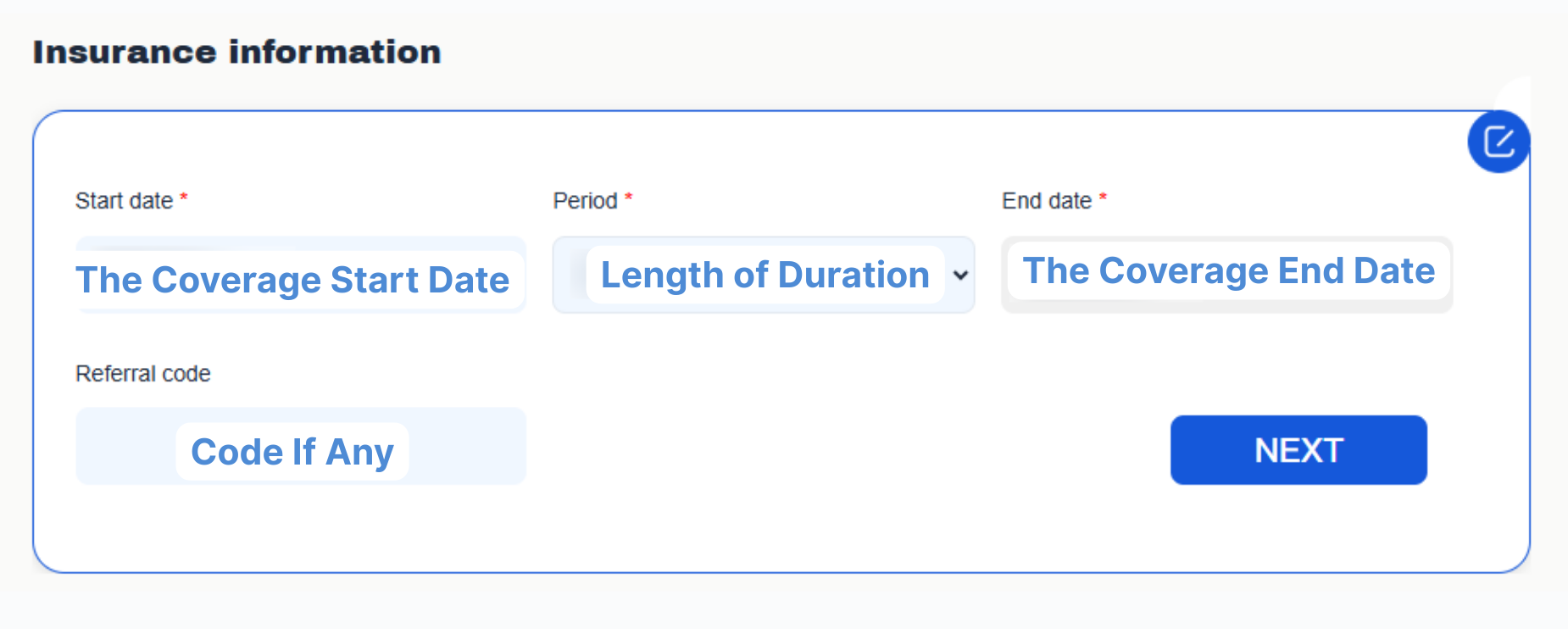
Step 1: Select Your Plan and Dates

Once on the site, you need to identify the correct plan that meets your university's waiver requirements and the coverage period.
-
Choose Your Plan: Select the specific GGS plan that has been approved for your school's waiver. (e.g., "Elite Plus").
-
Specify Coverage Dates: Input the exact start and end dates required by your school's waiver form.
-
Crucial: These dates must align with your school's academic term for the waiver to be accepted. Double-check your university's health insurance requirements page for the mandatory dates.
-
Step 2: Provide Student Information and Verify Eligibility
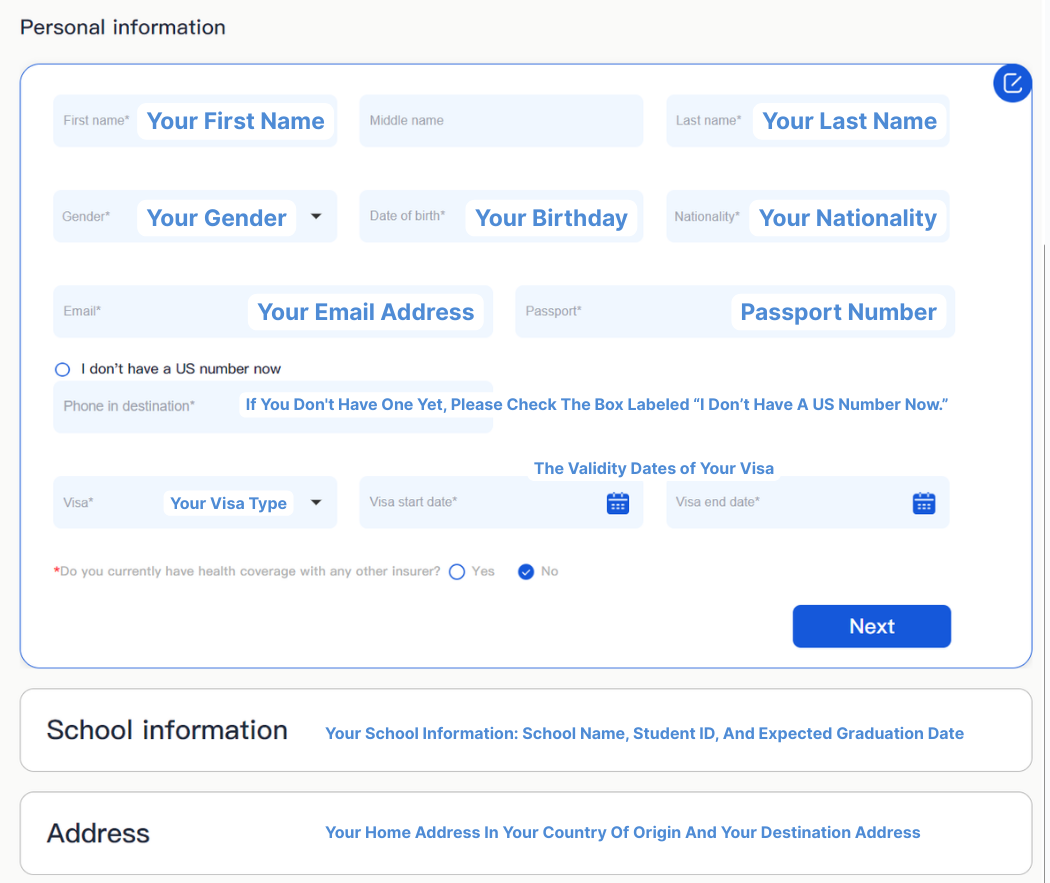
This section ensures the plan is issued correctly to you.
-
Fill Out the Enrollment Form: Accurately enter all required personal details, including:
-
Full Legal Name (must match your passport/school records)
-
Date of Birth
-
Email Address (used for all future communications and documents)
-
School Name (Select your institution from the dropdown menu, if applicable)
-
-
Review and Confirm: Before proceeding, review all entered data for typos. Incorrect information can cause delays when submitting your waiver application.
Step 3: Complete Secure Payment
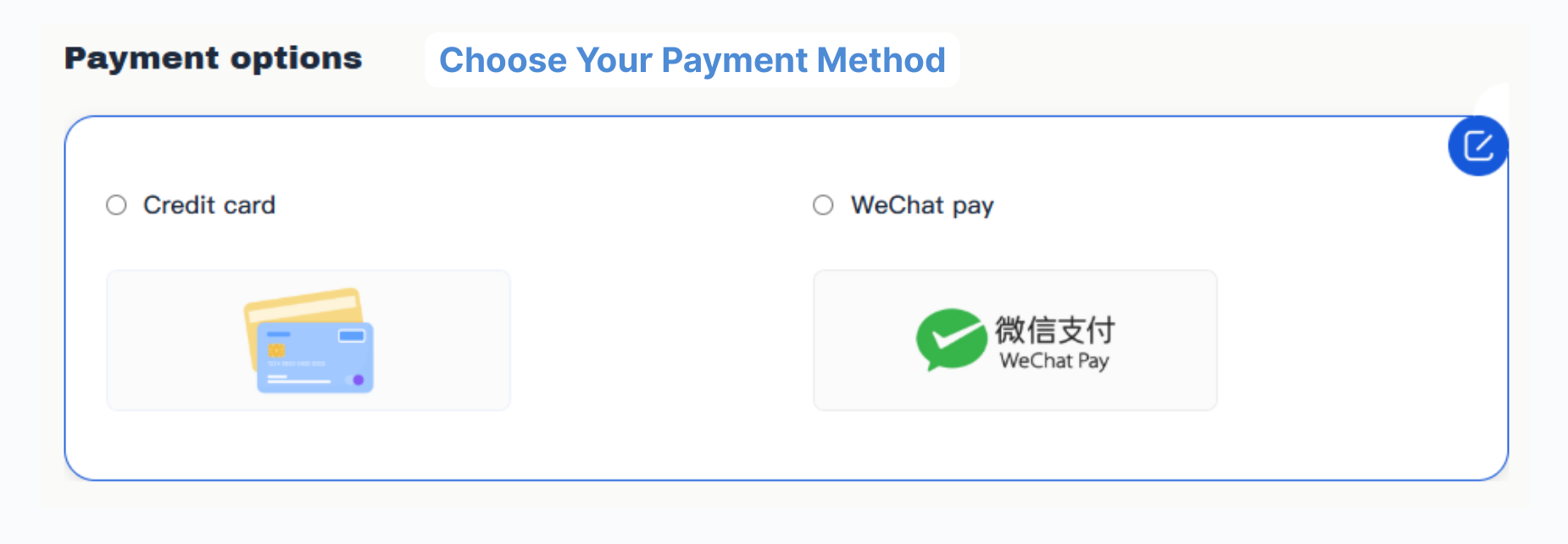
The GGS portal supports various payment methods for your convenience.
-
Payment Options: Choose your preferred method (Credit/Debit Card, etc.).
-
Secure Checkout: Enter your payment details on the secure checkout page. The system will confirm the final premium cost before you authorize the transaction.
-
Final Click: Click the "Buy" button to finalize the transaction.
Step 4: Receive and Download Your Proof of Coverage
Your transaction is complete! The final step is getting the documents you need for your waive.
-
Access Your Account: Immediately log in to your GGS Account Center using the credentials you created during the purchase process.
-
Email Delivery: Your official Proof of Coverage/Insurance ID Card (often a PDF document) will be sent instantly to the email address you provided in Step 2.
-
Action for Waiver:
Download Certificate of Coverage / Insurance ID Card (PDF): This is the document your school requires to prove you have compliant insurance.
-
Waiver Guide: This helpful document provides specific instructions tailored to GGS plans for submitting your waiver to your university.
-
File Name Tip: Rename the downloaded file to something clear (e.g., GGS_Policy_YourName_InsuranceCard.pdf) to avoid confusion.
-
7. Contact Us to Get Started Easily
常见问题
Why Do U.S. Universities Require Students to Have Health Insurance?
Healthcare in the United States is extremely expensive, and without insurance, even a single emergency or surgery can result in overwhelming medical debt that may disrupt a student’s ability to continue their studies. By requiring health insurance, universities help prevent medical emergencies from becoming long-term academic or financial crises.
Furthermore, insurance is essential for maintaining student health and academic performance. Research shows that uninsured individuals often delay or forgo necessary care and prescriptions due to cost, which can lead to worsening health conditions.
Mandatory insurance ensures students have access to preventative care and timely treatment, preventing minor illnesses from escalating into serious issues that could disrupt their education.
If You’re New to U.S. Health Insurance: What Does “Waive” Mean?
Common Health Insurance Terms
▪️Annual Maximum
▪️Deductible (In-Network)
▪️Coinsurance (In-Network)
▪️Coinsurance (Out-of-Network)
▪️Copayment (Student Health Center – SHC)
▪️Deductible at the Student Health Center (SHC)
▪️Out-of-Pocket Maximum (In-Network)
Who Is Eligible for GoGlobalSafe Plans?
▪️have valid F1 and 1-20.
▪️an associate, bachelor, master or Ph.D. or formal university ESL program, and over 17 years old.
▪️are currently registered with no less than 6 credit hours* are eligible and qualifed to enroll.